Pierce Computer Consulting
Minnesota IT Support - Managed Services
(612) 682-2278
Network cabling and server infrastructure supporting business connectivity
Built for offices that depend on
Reliable Wi-FiDocumented cablingVoIP readinessVendor accountabilitySecurity follow-throughFree assessment routeLocal escalation

When network infrastructure becomes a business problem

Connectivity problems often look simple until internet providers, cabling vendors, phone systems, cloud apps, and internal devices all point at each other. We help Minneapolis and Twin Cities teams identify the actual weak point, coordinate the right vendors, and document the environment so the next issue is easier to solve.

  • New office buildouts, moves, or remodels where cabling, Wi-Fi, phones, and network readiness need to be planned together.
  • Recurring Wi-Fi, switch, firewall, or internet problems that interrupt staff productivity, patient flow, client service, or shop-floor work.
  • VoIP call-quality issues where phones, bandwidth, network configuration, Microsoft 365, and vendors all need to be reviewed.
  • Undocumented closets, ports, access points, circuits, or vendor handoffs that make every outage slower to resolve.
  • Provider proposals that do not make support ownership, documentation, security review, recovery planning, or onsite escalation clear.
  • Bloomington, Edina, Minneapolis, or multi-location Twin Cities teams need remote triage first, then practical local follow-through when equipment, vendors, or spaces require it.

Choose the right network next step

Different networking problems need different starting points. Use the trigger below to route a Minnesota office move, Wi-Fi complaint, VoIP issue, undocumented network closet, vendor proposal, recurring outage, or broader connectivity question into the most useful service path.

You are not sure where the network problem belongs

Start with a free assessment when cabling, Wi-Fi, phones, firewall settings, internet service, vendors, security evidence, recovery needs, and recurring support may all be connected.

Request free assessment

Moving, remodeling, or opening a space

Plan cabling, Wi-Fi, phones, internet circuits, printers, conference rooms, and vendor responsibilities before staff arrive and discover missing pieces.

Plan the move

Wi-Fi, phones, or internet are unreliable

Start with focused triage that separates coverage, switching, firewall, ISP, VoIP, device, and vendor issues before the problem becomes another recurring ticket.

Stabilize the issue

You need a network readiness check

Use an assessment to document closets, ports, equipment age, access points, internet handoffs, vendor scope, and practical priorities for leadership.

Review the assessment path

A vendor or provider proposal is unclear

Compare who owns cabling, switches, phones, firewall changes, Wi-Fi, security documentation, remote triage, onsite escalation, and post-project support before signing.

Compare support scope

Network problems keep coming back

Move repeat outages, undocumented changes, monitoring gaps, and vendor confusion into managed IT coverage with clearer ownership and lifecycle planning.

Add ongoing coverage

What we help coordinate and support

Structured cabling

Plan drops, closet layout, port documentation, vendor handoffs, and network readiness so remodels, moves, and office growth do not turn into avoidable support surprises.

VoIP and phones

Review bandwidth, call quality, phone routing, user needs, vendor tickets, and Microsoft 365 alignment so communication tools stay dependable.

Business networking

Troubleshoot switches, Wi-Fi, firewalls, internet handoffs, segmentation needs, and monitoring gaps with a practical plan for ongoing support.

Useful for Minnesota office moves, expansions, and refreshes

If your team is opening a new space, reworking a floor plan, replacing phones, upgrading internet, or cleaning up years of undocumented network changes, PierceCC can help connect the project work to the long-term IT support model your staff will actually use.

Route network work into the right support path

Network projects often reveal a second decision: who owns remote triage, proposal review, security evidence, recovery planning, and follow-up support after the cabling, Wi-Fi, or phone work is complete.

Free network assessment

Use this path when you know connectivity is hurting the business but need help deciding whether the first move is cabling, Wi-Fi, VoIP, security, recovery, vendor review, or managed IT.

Review this path

Remote IT support

Use this path when network, VoIP, Wi-Fi, Microsoft 365, device, or vendor symptoms need fast remote triage before deciding whether onsite work is needed.

Review this path

Office move IT support

Use this path when cabling, Wi-Fi, phones, internet handoffs, printers, conference rooms, and vendor schedules need one move plan.

Review this path

IT provider comparison

Use this path when a network vendor, MSP, phone provider, cabling proposal, or firewall support plan does not clearly explain ownership and follow-through.

Review this path

Pricing and scope guidance

Use this path when network project work, recurring support, vendor exclusions, onsite escalation, and managed coverage need clearer budget expectations.

Review this path

Cyber insurance readiness

Use this path when firewall, remote access, device visibility, admin access, segmentation, or network documentation affects security questionnaires or renewal evidence.

Review this path

Backup and disaster recovery

Use this path when network outages, phone dependency, server access, cloud apps, or internet reliance make restore testing and continuity planning important.

Review this path

Local networking support routes

Network, cabling, Wi-Fi, and VoIP issues often start with remote triage and become local when equipment, vendors, floor plans, or office access need follow-through. Choose the service-area path that best matches the team or location involved.

Minneapolis offices and project sites

Use this local path when cabling, Wi-Fi, phones, internet service, firewalls, vendors, or office changes need a Minneapolis support lens.

Explore Minneapolis IT support

Twin Cities teams with multiple locations

Use the metro path when staff, vendors, offices, or leadership are spread across Minneapolis, St. Paul, Bloomington, Edina, and nearby suburbs.

Review Twin Cities IT support

St. Paul and east-metro network needs

Use this path when Wi-Fi, phones, internet handoffs, office changes, Microsoft 365, or vendor coordination need an east-metro service-area view.

Route St. Paul support

Bloomington network support

Use this path when Bloomington teams need help with office networking, remote triage, vendor follow-through, Microsoft 365, security, recovery, or move planning.

Review Bloomington support

Edina and Hennepin County support

Use this path when west-metro teams need networking, VoIP, Wi-Fi, provider comparison, office move planning, cybersecurity, or managed IT follow-through.

Review Edina support
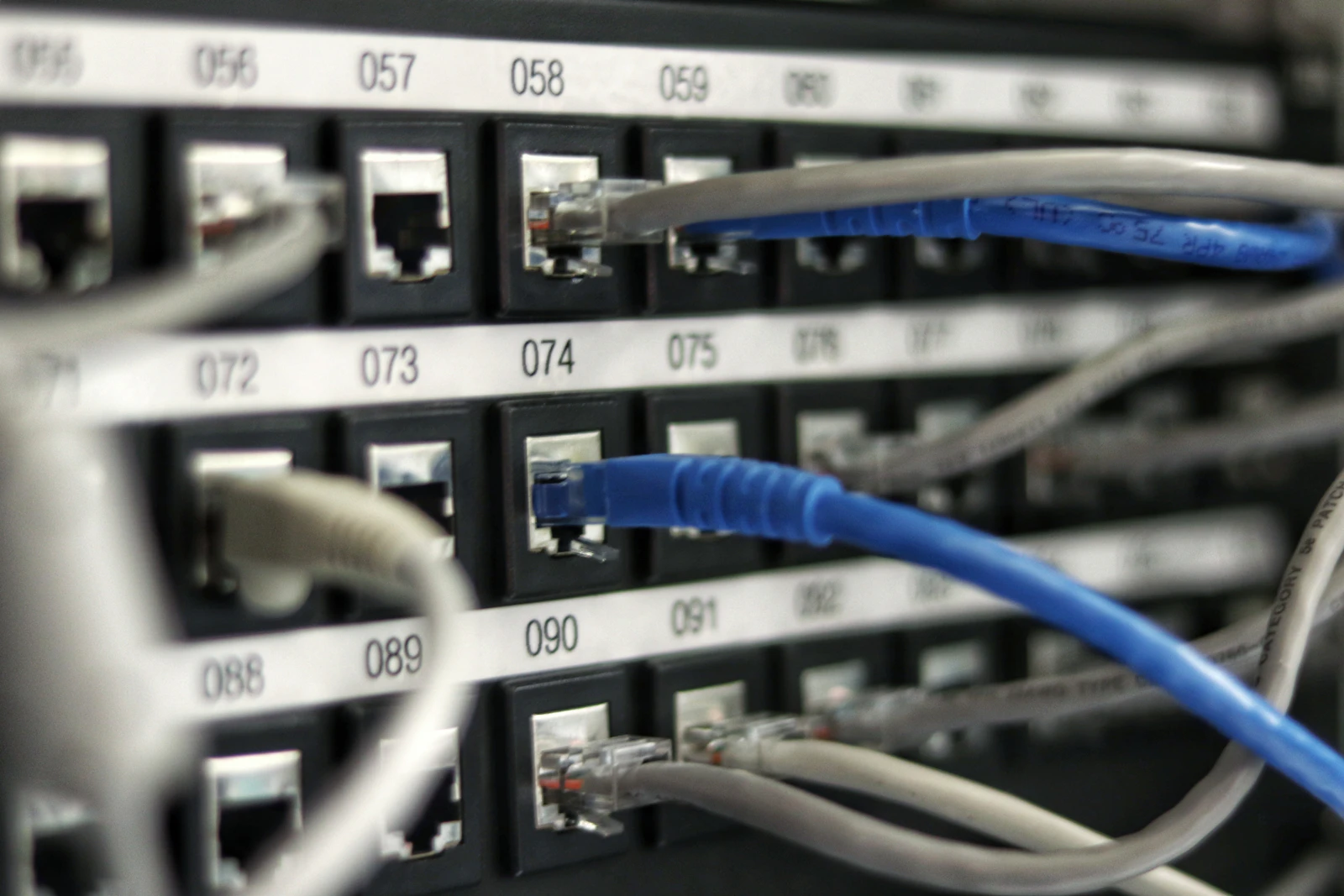
Network rack cabling and equipment documented for office connectivity handoff

Network handoff details to gather first

The first conversation is more useful when the support request includes the location, affected users, symptoms, vendor tickets, and business deadline. Bring what you have; PierceCC can help sort the rest into a practical troubleshooting, free assessment, or project plan.

Location and space details

Share the office, suite, floor plan, affected areas, move or remodel date, and whether the issue is in Minneapolis, Bloomington, Edina, St. Paul, or another Twin Cities location.

Symptoms and business impact

Note which staff, phones, Wi-Fi areas, conference rooms, printers, cloud apps, shared devices, or production workflows are affected and whether the issue is urgent, recurring, or project-timed.

Vendor and equipment context

Gather ISP, cabling, firewall, Wi-Fi, VoIP, and managed IT provider contacts, ticket numbers, quotes, network closet photos, circuit details, and any recent configuration or equipment changes.

Ownership goal

Decide whether you need urgent triage, proposal review, office move planning, vendor coordination, documentation cleanup, cybersecurity follow-through, free network assessment, or ongoing managed network support.

Network planning before a move, remodel, or phone change

The best time to prevent connectivity problems is before walls close, furniture is ordered, phones are ported, or staff move into the space. PierceCC helps Minnesota teams turn network questions into a practical readiness plan before vendors start handing work back and forth.

Map the space before work starts

Review floor plans, workstation counts, conference rooms, printers, access points, phone needs, network closets, and cabling vendor scope before a move or remodel creates last-minute surprises.

Pressure-test voice and Wi-Fi

Check likely coverage, bandwidth, switch capacity, power needs, call-quality risks, and device density so staff can use cloud apps, phones, and shared tools reliably from day one.

Clarify vendor ownership

Separate responsibilities for internet providers, cabling vendors, phone systems, firewalls, access points, and ongoing IT support so issues do not stall in finger-pointing.

Local support path

Assess

Identify the business impact, current vendors, network equipment, cabling condition, phone requirements, and any urgent reliability concerns.

Stabilize

Triage slowdowns, outages, call-quality problems, Wi-Fi complaints, and vendor escalations so staff can get back to productive work.

Document

Create a clearer record of network equipment, ports, vendors, service contracts, and follow-up priorities for managed support.

Structured cabling, VoIP, and networking FAQ

Do you support structured cabling projects in Minneapolis?

Yes. Pierce Computer Consulting can help Minnesota businesses plan cabling needs, coordinate vendors, document ports and network closets, and connect cabling work to the switches, Wi-Fi, phones, and security requirements that depend on it.

Can you help with office moves, remodels, or network refreshes?

Yes. Office moves and remodels are good times to map drops, Wi-Fi coverage, conference rooms, phones, printers, internet circuits, and vendor responsibilities before staff arrive and discover gaps.

Can you troubleshoot Wi-Fi dead zones or unreliable access points?

Yes. We review symptoms, floor layout, access point placement, cabling, switches, internet service, device behavior, and vendor ownership so Minnesota teams can separate Wi-Fi coverage problems from broader network issues.

Can you help with VoIP phone systems and internet vendors?

Yes. We help evaluate VoIP requirements, troubleshoot call-quality issues, coordinate with internet and phone vendors, and align phones with Microsoft 365, network readiness, and business continuity planning.

Can remote support help with network issues before an onsite visit?

Yes. Remote triage is often the fastest way to collect symptoms, review Microsoft 365 or VoIP impact, check vendor alerts, identify whether the issue points to Wi-Fi, firewall, ISP, phones, or devices, and decide whether Twin Cities onsite support is needed.

Can we start with a free network assessment before choosing a service?

Yes. If the issue could involve cabling, Wi-Fi, phones, firewall rules, internet service, vendors, security evidence, recovery planning, or recurring support, a free IT assessment helps Minnesota teams sort the right next step before committing to a networking project, managed IT plan, or provider comparison.

Can PierceCC review a network vendor proposal or support scope?

Yes. We can help Minnesota businesses compare whether a cabling, phone, internet, firewall, Wi-Fi, or managed IT proposal clearly explains ownership, exclusions, documentation, response paths, security responsibilities, and post-project support.

Should network changes include security and backup review?

Often, yes. New switches, access points, firewalls, remote access paths, internet circuits, phones, or office layouts can change security controls and recovery assumptions, so it is useful to review MFA, admin access, segmentation, endpoint visibility, backups, and cyber insurance evidence after major network work.

Should we start with networking support, an office move plan, or managed IT?

Start with networking support when Wi-Fi, phones, cabling, switches, firewalls, or vendor handoffs are the immediate problem. Start with office move IT planning when a space change is coming. Move into managed IT when the same network issues keep returning or leadership needs clearer ownership, monitoring, and lifecycle planning.

What network issues are good candidates for managed IT support?

Recurring Wi-Fi problems, slow applications, unreliable switches, undocumented cabling, vendor finger-pointing, and phone-quality complaints are strong candidates because managed IT adds monitoring, documentation, escalation, and planned lifecycle work.

Do you provide local networking support in Bloomington and Edina?

Remote troubleshooting is usually the fastest first step, but network projects often need local follow-through for cabling, switches, access points, phones, firewalls, vendor handoffs, and office changes. PierceCC can route Bloomington, Edina, Hennepin County, Minneapolis, St. Paul, and Twin Cities teams into the right local support path.

Do you provide on-site networking support in the Twin Cities?

Remote troubleshooting is usually the fastest first step, but on-site work can be scheduled across Minneapolis, St. Paul, Bloomington, Edina, and the Twin Cities metro when switches, cabling, access points, firewalls, phones, or vendor handoffs require hands-on support.

Related Minneapolis IT services

Need cleaner connectivity before it becomes downtime?

Share what is unreliable, what changed recently, which vendors are involved, any ticket or quote details, and whether the issue affects a Minneapolis, Bloomington, Edina, St. Paul, or broader Twin Cities team. We will help identify the fastest practical next step.